
Upload Your Data to Find Haters
Follow these steps to export your Instagram data - it only takes a few minutes
Go to Instagram's Data Download Page
Click the button below to open Instagram's "Download your information" page
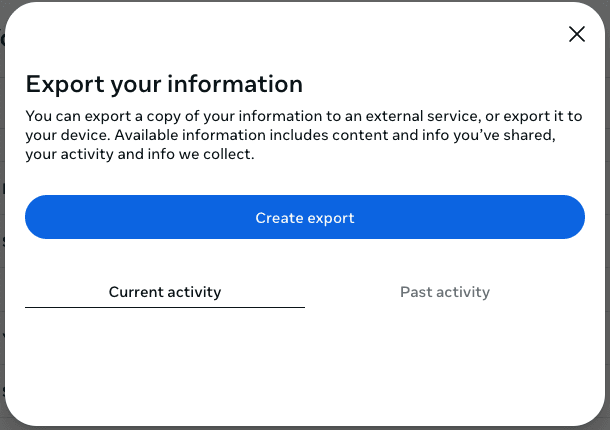
Open Instagram SettingsClick "Create export"
You'll see a blue button labeled Create export - click it to start
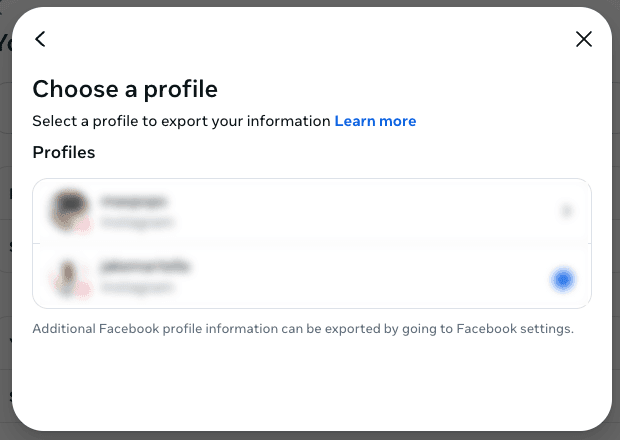
Select Your Profile
Choose the Instagram profile you want to analyze
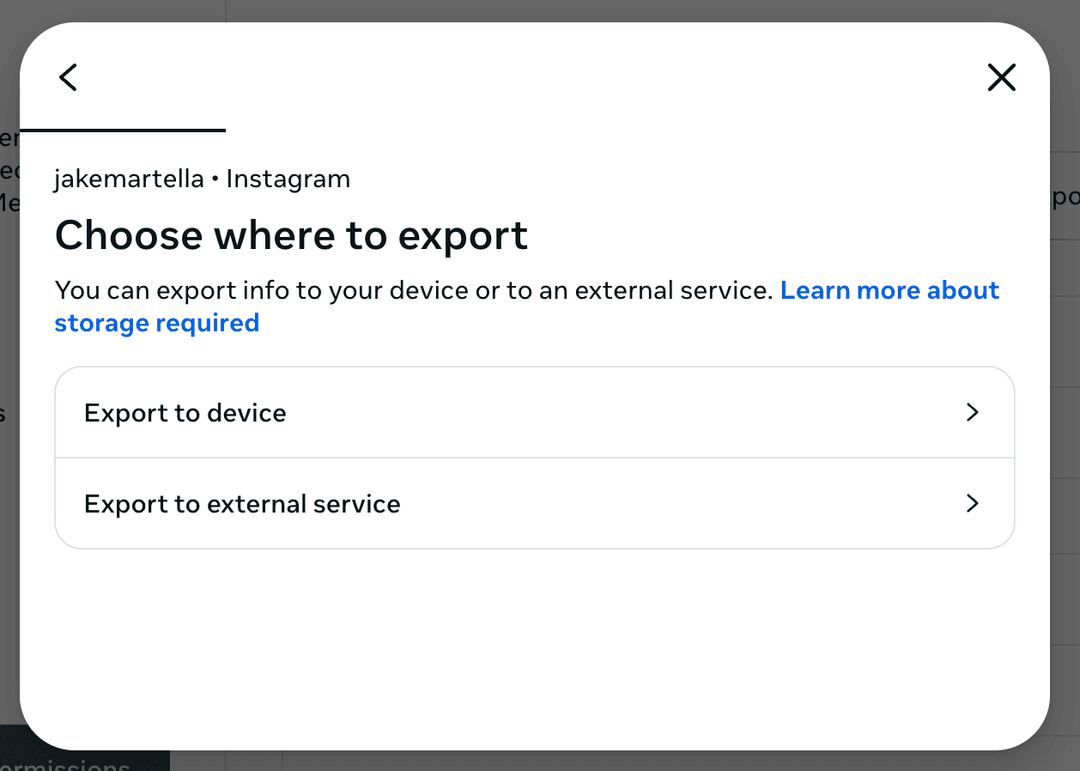
Choose "Export to device"
Select Export to device (not "Export to external service")
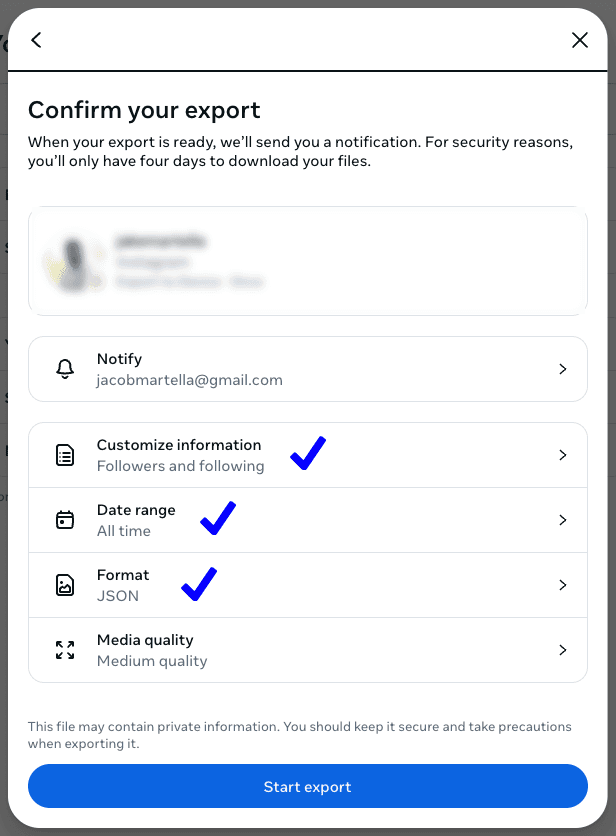
Configure Your Export Settings
Make sure your settings match the image below:
Start Export & Download
Click Start export to submit your request. Instagram will notify you when your file is ready (usually within a few minutes).
Once ready, download the ZIP file and come back here to upload it.
Your data stays private
We never ask for your Instagram password. Your Instagram data is processed entirely in your browser. We collect basic usage analytics but never access or store your followers list or personal data.